Demo Incident – Bitdefender TechZone
Analyze a complete ransomware attack lifecycle via the GravityZone XDR Demo Incident. See how Incident Advisor correlates telemetry from Office 365 and Active Directory sensors to identify the root cause of Meterpreter shells and Zerologon exploits.
This document demonstrates the complete attack lifecycle of an Extended Detection and Response (XDR) demo incident to showcase the XDR capabilities of the GravityZone platform. It is designed for use during demo sessions with customers and internal training sessions.
It is critical to understand that this scenario is running in report-only mode. In a standard production deployment, GravityZone multilayered security platform would have automatically blocked this attack at several stages. For this walkthrough, all active protection and prevention modules have been intentionally disabled, allowing the platform to correlate telemetry and generate detection alerts without terminating the malicious processes.
The demo incident is available to you with XDR subscriptions in the Incidents -> All Incidents panel by clicking the demo icon in the top-right corner.
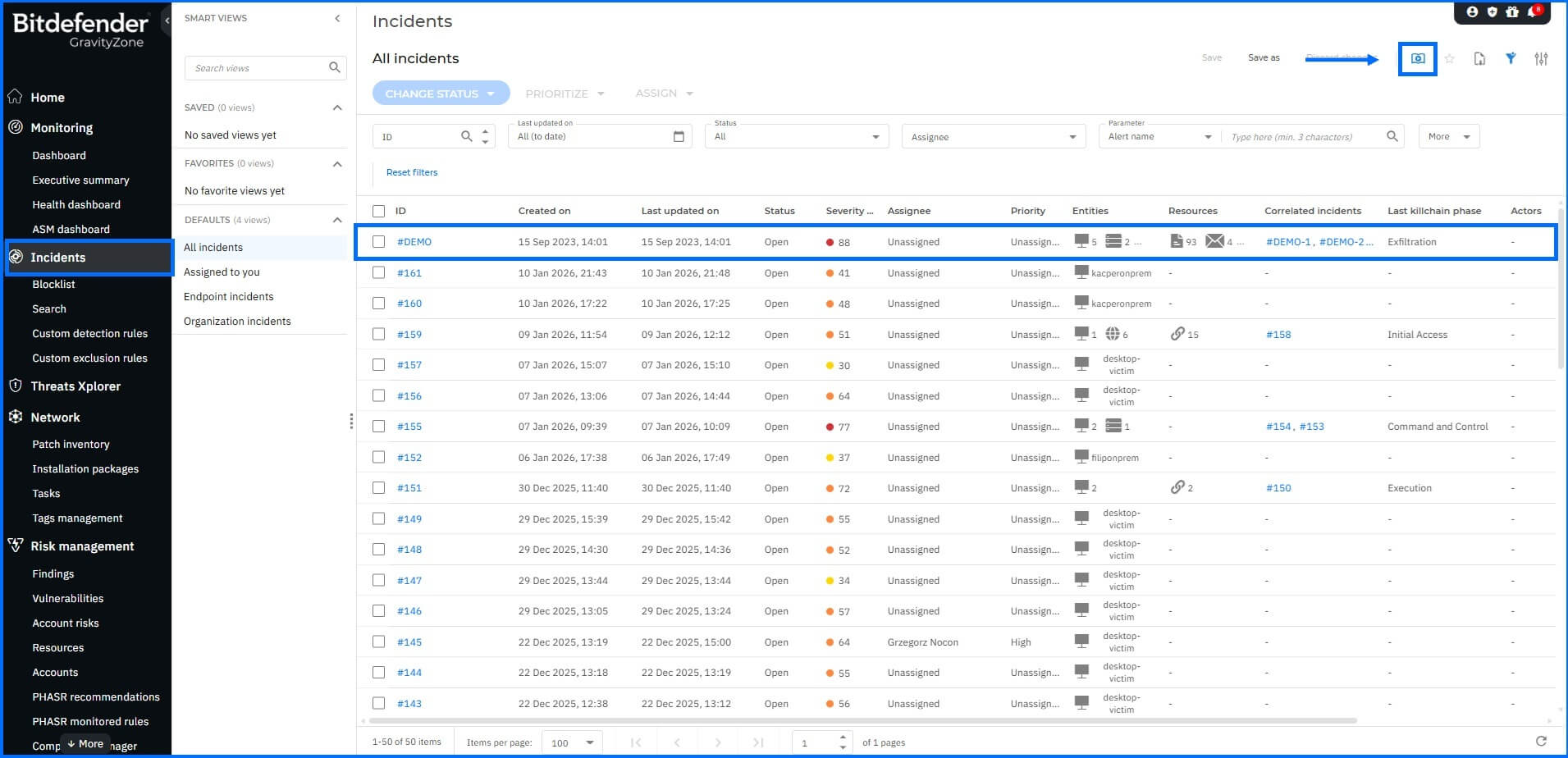 |
The demo incident is pinned to the top of the grid in the Incidents section.
Demo Incident Scenario
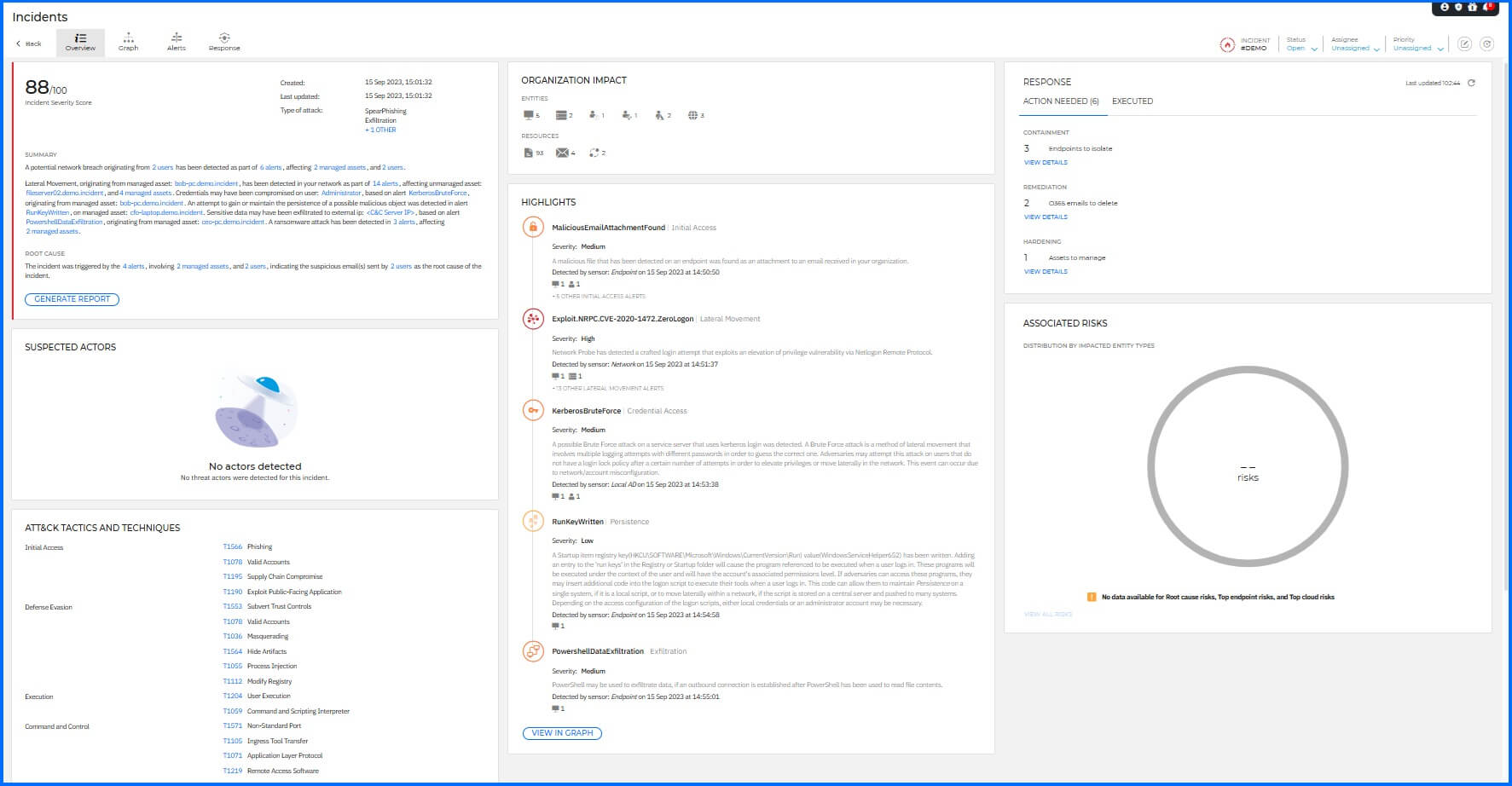
When an incident is selected, the Incident Advisor serves as the default landing page, providing a comprehensive overview of the event. It provides an intuitive and visually comprehensive overview of correlates data from multiple sources, summarizes the "who, what, and when" of the attack, identifies the root cause, and assesses the potential impact on the organization, allowing you to prioritize their response based on actionable intelligence.
 |
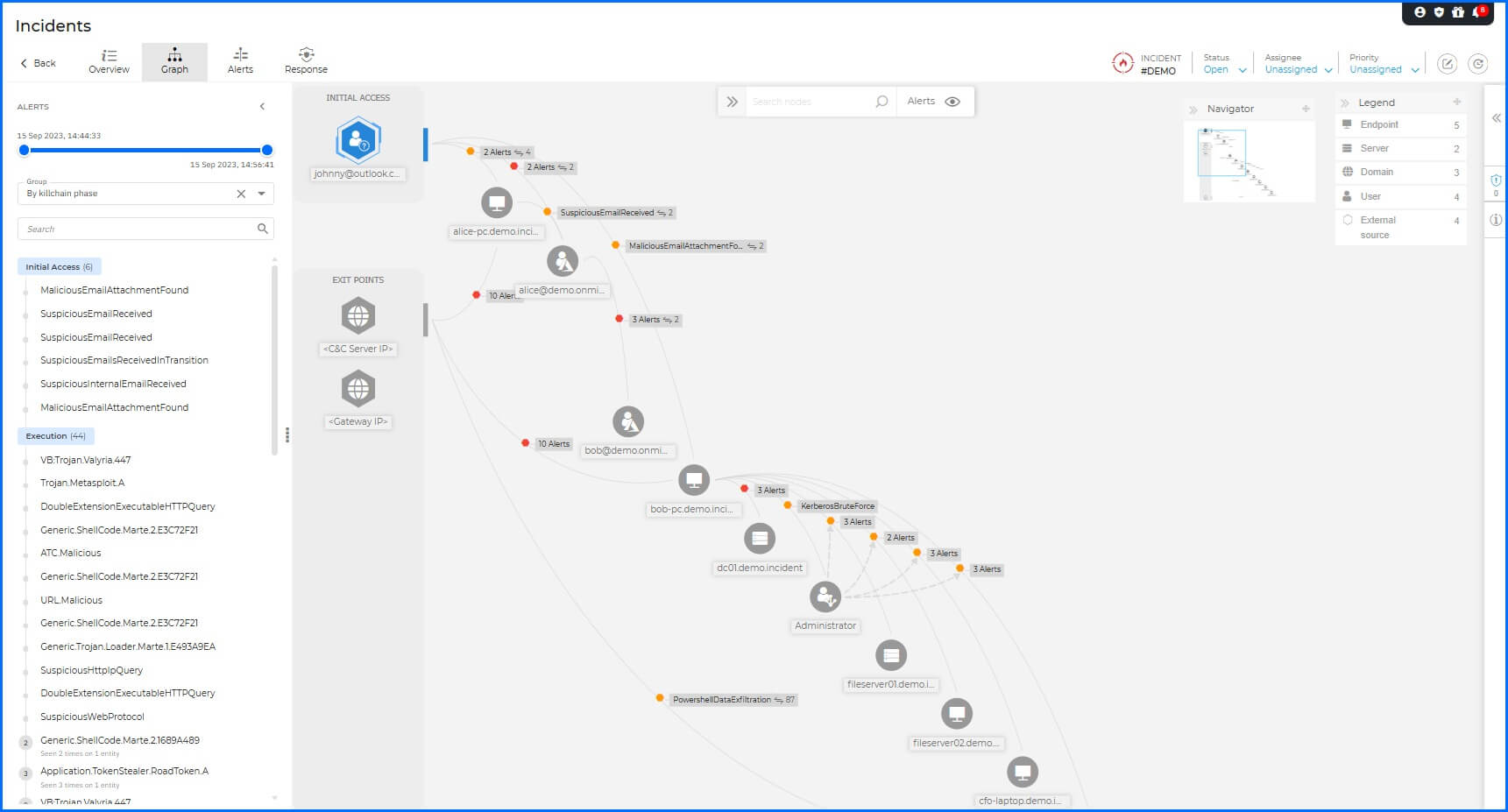
The Graph section offers an interactive visual representation of the demo incident, highlighting the sequence of elements involved in triggering the attack. The phase descriptions detailed below correspond directly to the nodes (entities) and interaction paths displayed within this graph to provide a clear mapping of the attack lifecycle.
 |
Initial Access: The breach began with an external threat actor, Johnny, delivering a phishing email containing a malicious attachment to a user named Alice.
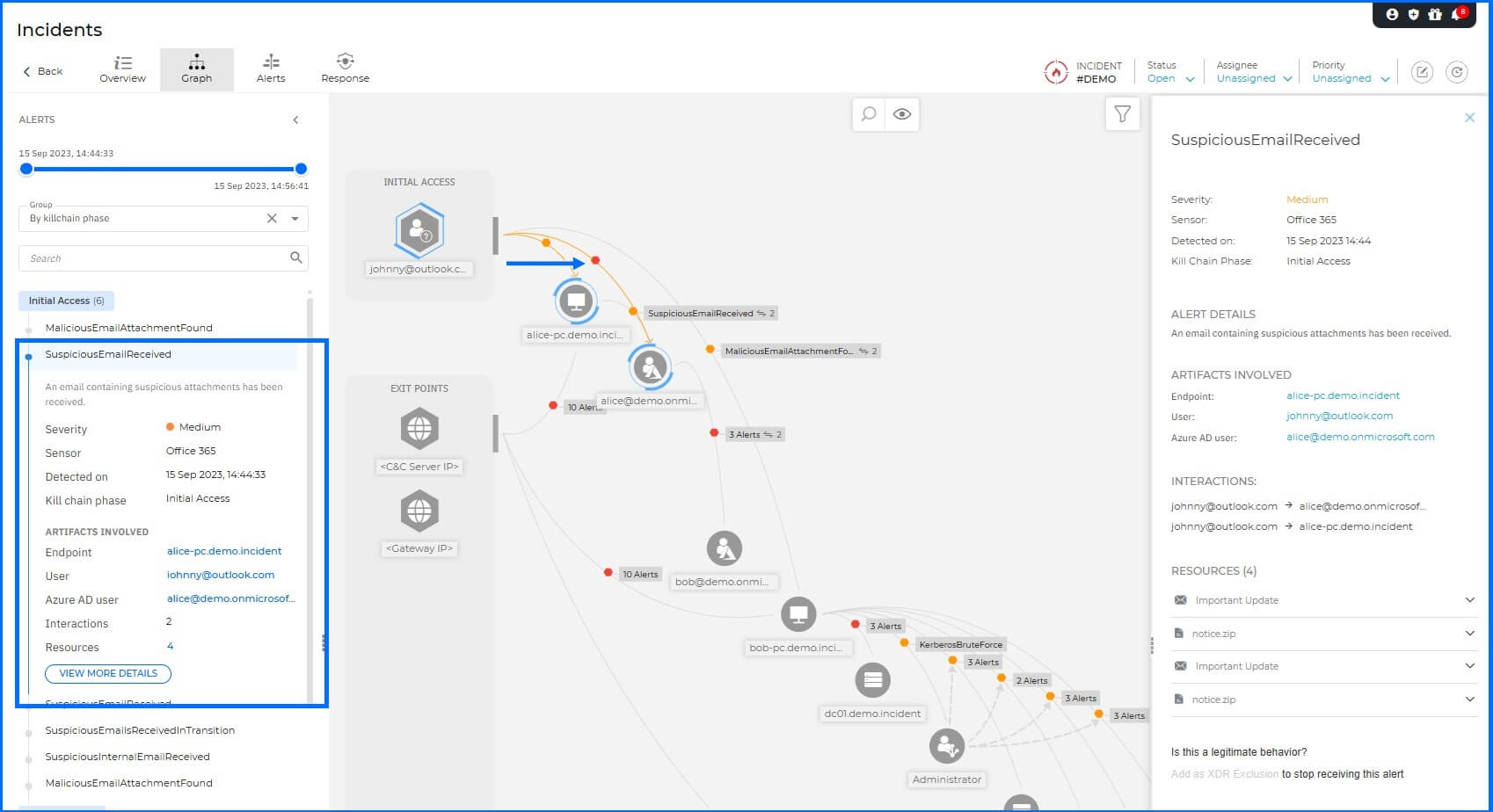
Office 365 sensor recognizes the threat and flags that an email containing suspicious attachments has been received, allowing XDR to track the threat from the moment it enters the organization's inbox.
Execution: Upon execution on Alice-PC, the malware established a Meterpreter shell using a reverse shell technique. This is a common tactic for adversaries; by having the victim machine initiate an outbound connection to the C2 server, the attacker bypasses standard corporate firewall configurations, which generally permit outbound traffic while restricting inbound requests.
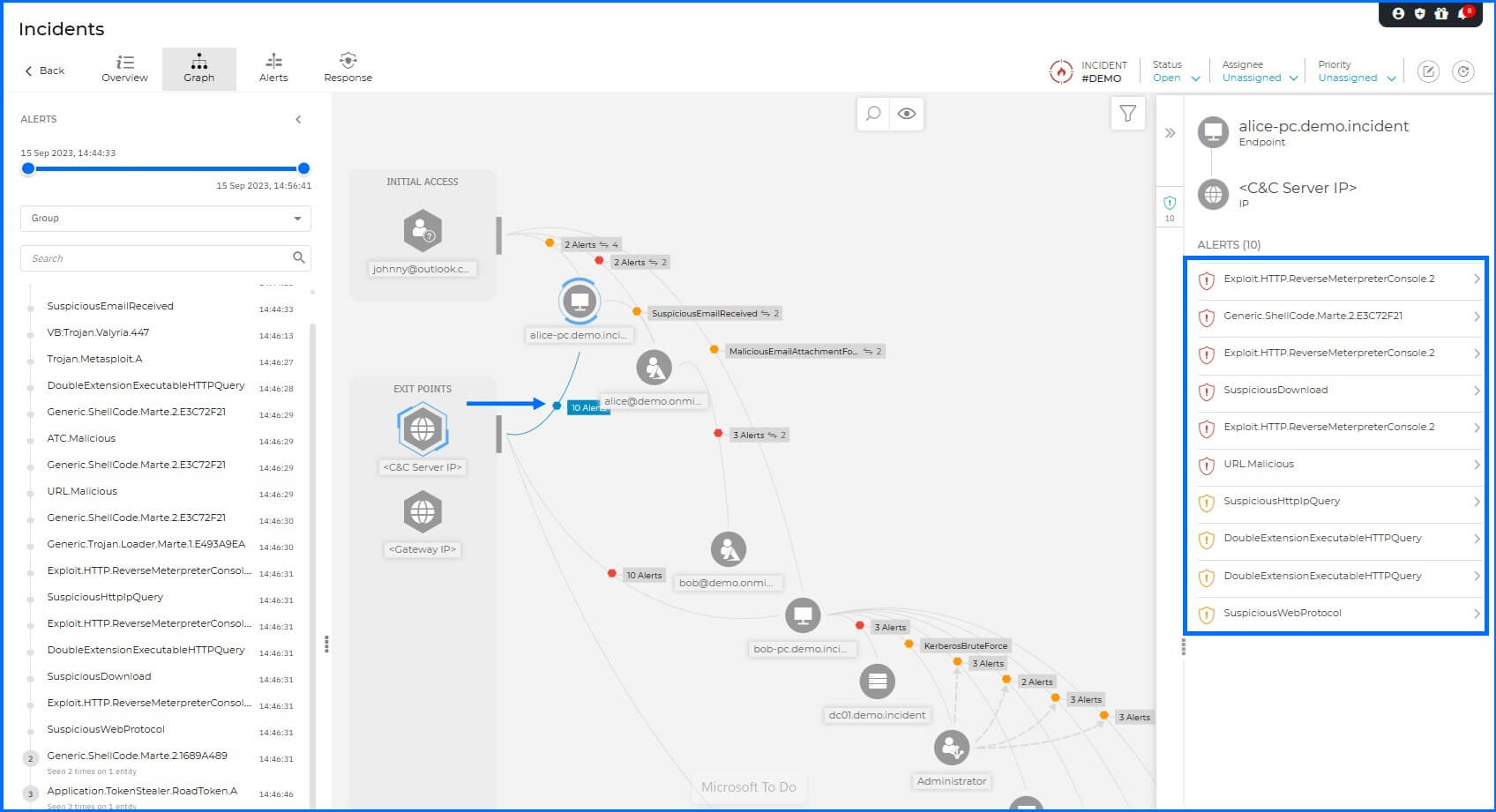
At this stage, GravityZone demonstrates its multilayered security by triggering several concurrent detections. The Malware protection and Advanced Threat Control (ATC) identify the malicious files and the Meterpreter executable behavior on the host, while the Network Sensor identifies the C2 communication.
Credential Access & Spread: Once the initial foothold was established, the attacker utilized a specialized utility called ROADtoken on Alice-PC. This tool is designed to steal session cookies—specifically the Primary Refresh Token (PRT) - allowing the attacker to impersonate the user in cloud environments like Microsoft 365 and bypass Multi-Factor Authentication (MFA) requirements.
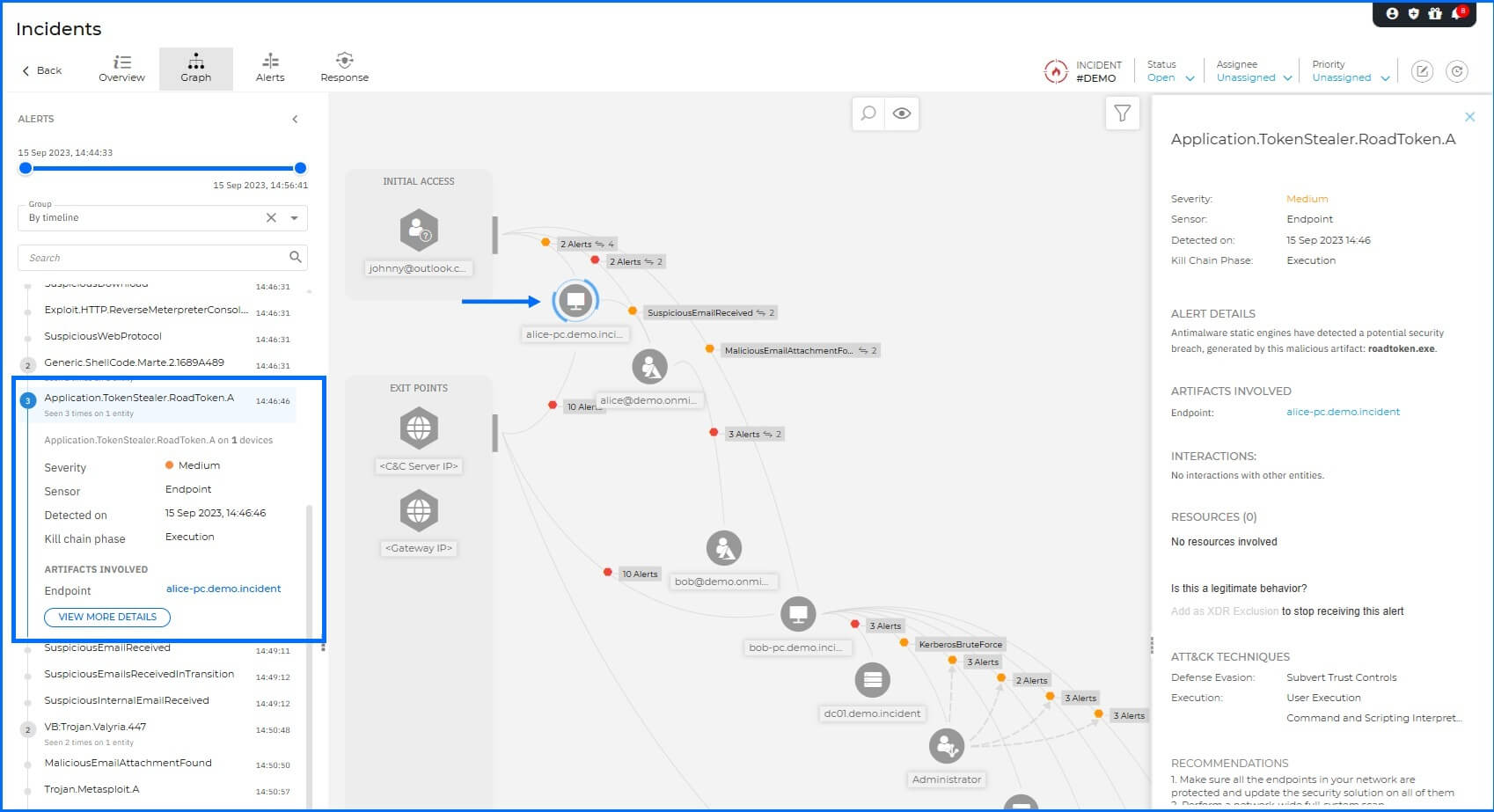
Antimalware engine detects the presence and usage of the roadtoken.exe utility, generating Application.TokenStealer.RoadToken alerts.
Leveraging Alice’s legitimate internal identity, the attacker sends a second malicious email to another employee, Bob. Because internal communications carry a higher level of inherent trust, this tactic significantly increases the probability of successful lateral movement.
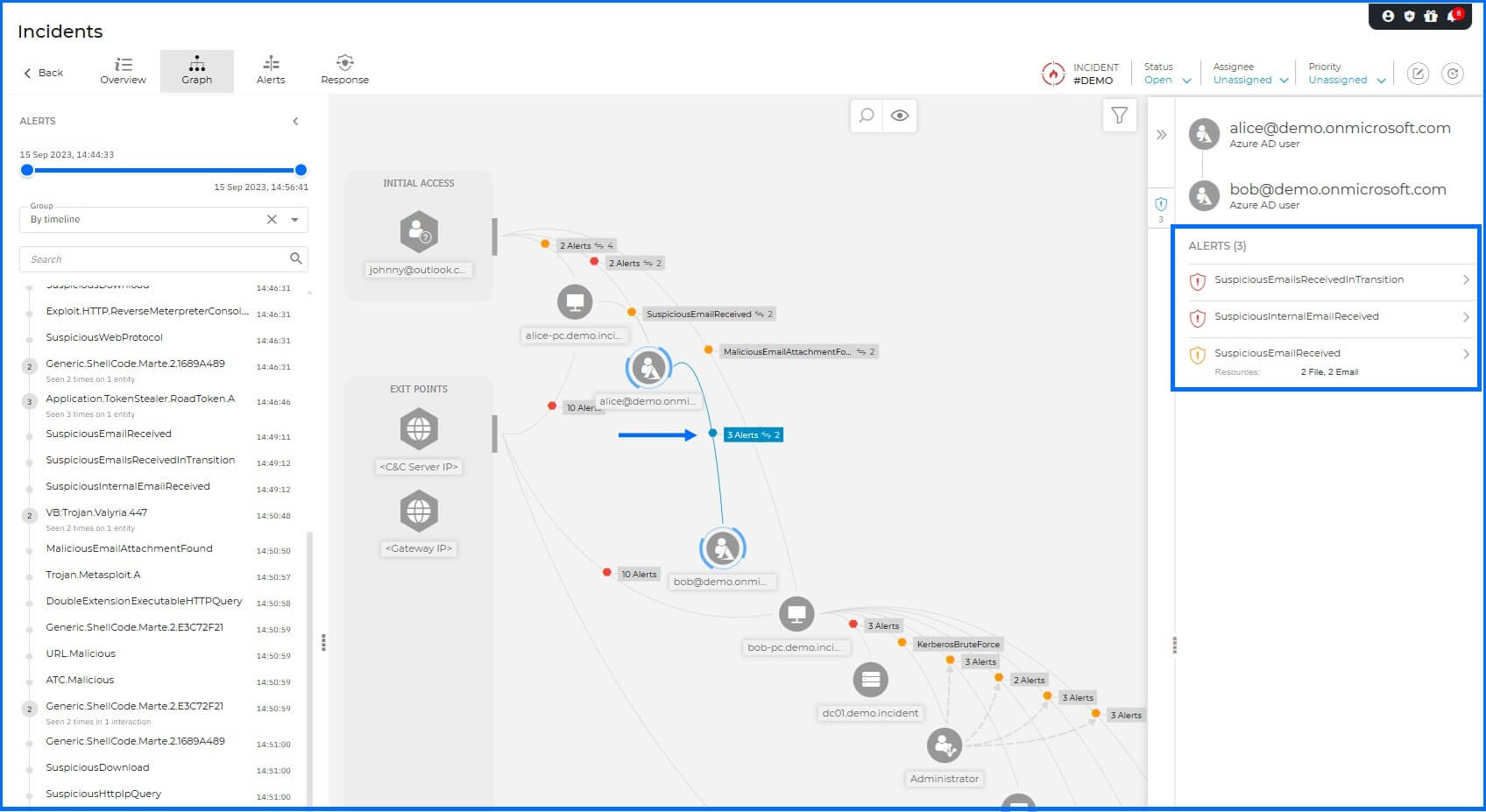
The Office 365 sensor detects this chain of suspicious emails, indicating that an internal email account may have been compromised and used to distribute potentially malicious content to other members of the organization.
Pivoting: When Bob executed the attachment on Bob-PC, a second reverse shell was established back to the C2 server. At this point, the attacker began pivoting through the internal infrastructure, using Bob's workstation as a 'jump box'.
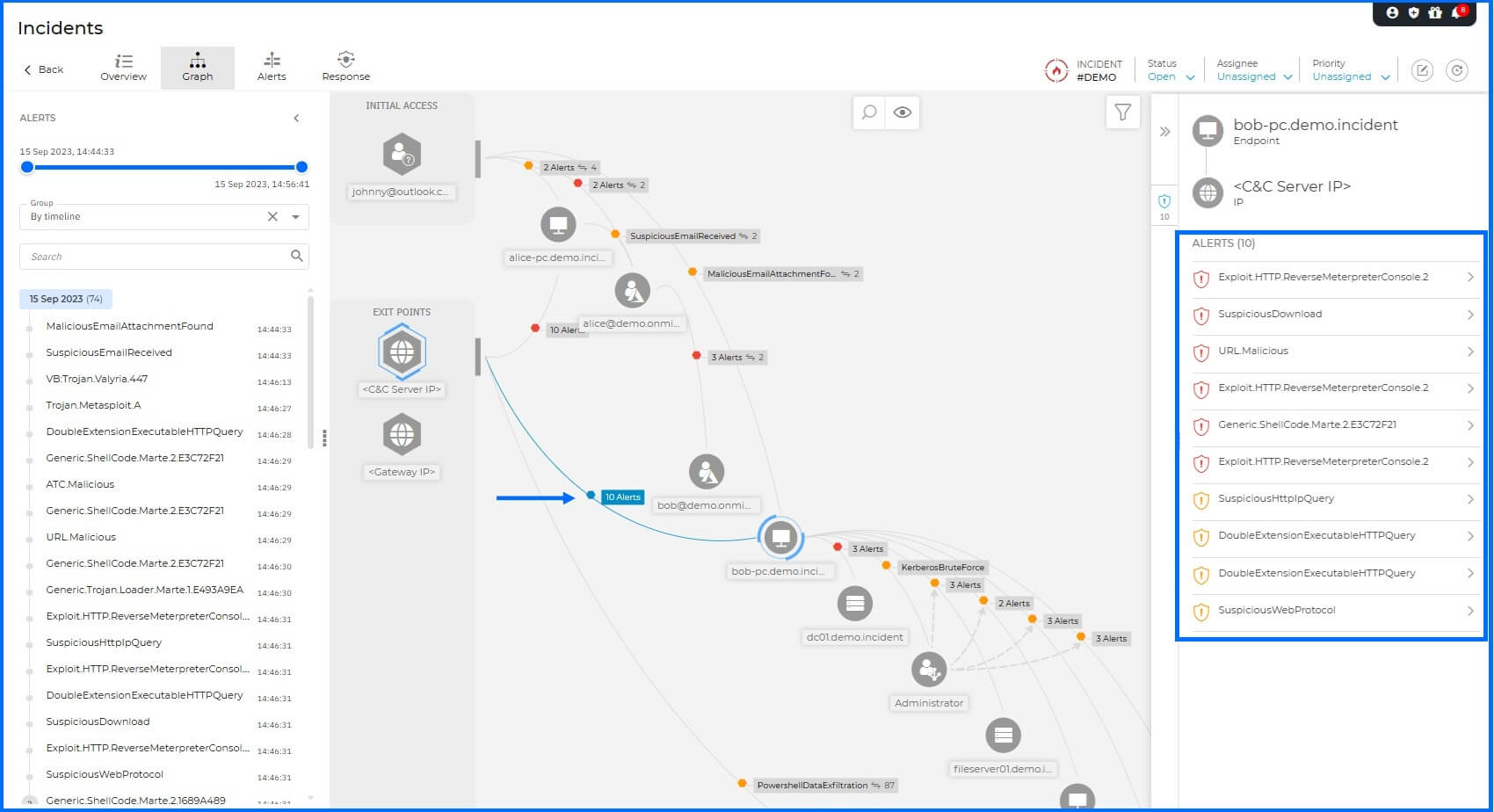
Similar to the execution phase on Alice-PC, this activity triggers multiple detections. The Malware protection and ATC flag the malicious files and execution on the endpoint, while the Network Sensor identifies the suspicious outbound traffic associated with the second reverse shell.
Lateral Movement: The primary target was the Domain Controller (DC01), where the attacker attempted the Zerologon exploit (CVE-2020-1472). This vulnerability targets the Netlogon protocol to manipulate authentication, potentially granting an attacker instant domain administrative rights.
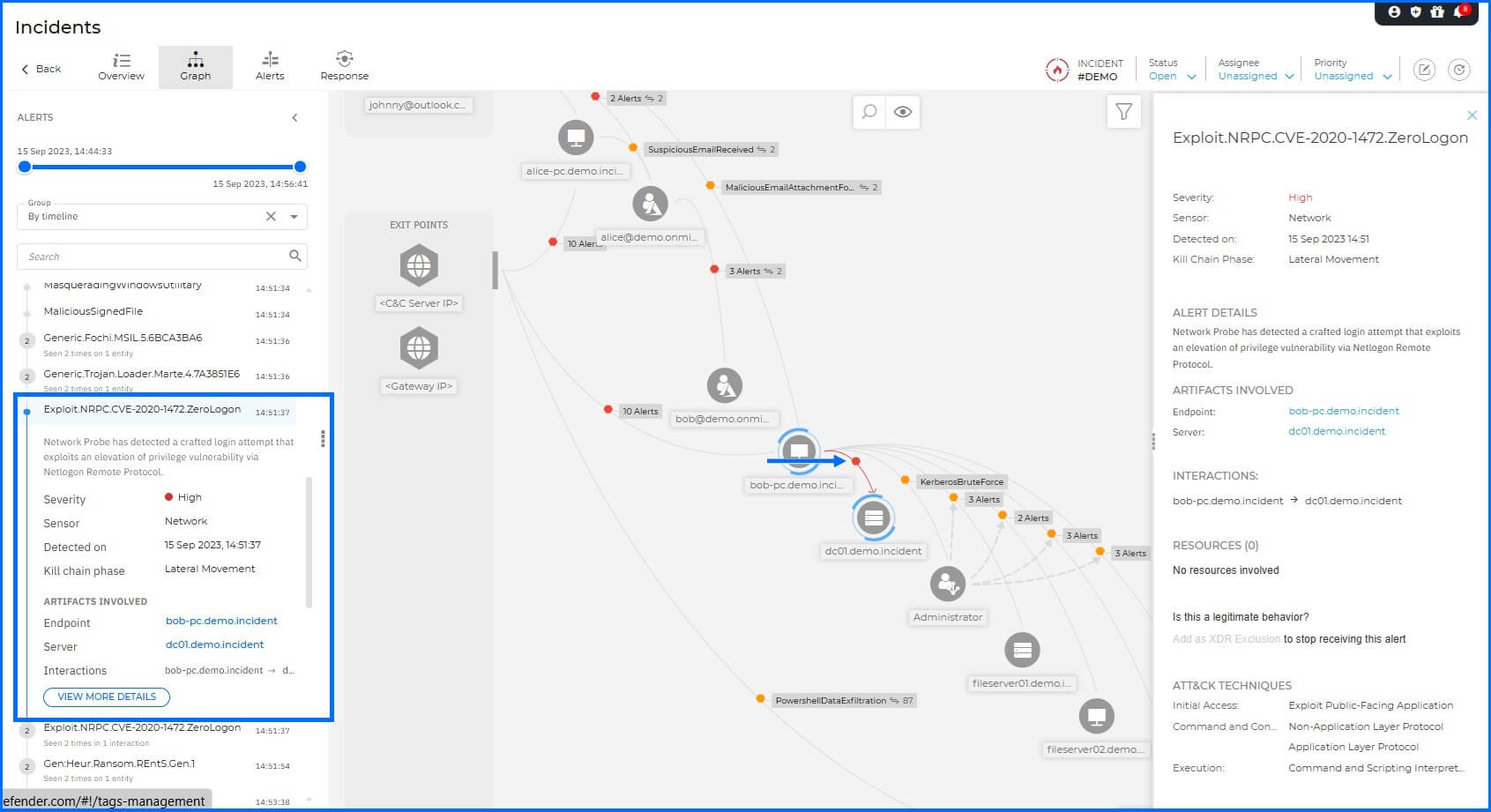
The Network Protection on the endpoint detected a login attempt that exploits this elevation of privilege vulnerability via Netlogon Remote Protocol, flagging the attack even though it ultimately failed to compromise the DC in this instance.
Successful Compromise: Following the failed exploit, the adversary shifted tactics to a Kerberos Brute Force attack originating from Bob's machine against FILESERVER01. This attack involves multiple login attempts with different passwords to guess the correct credentials.
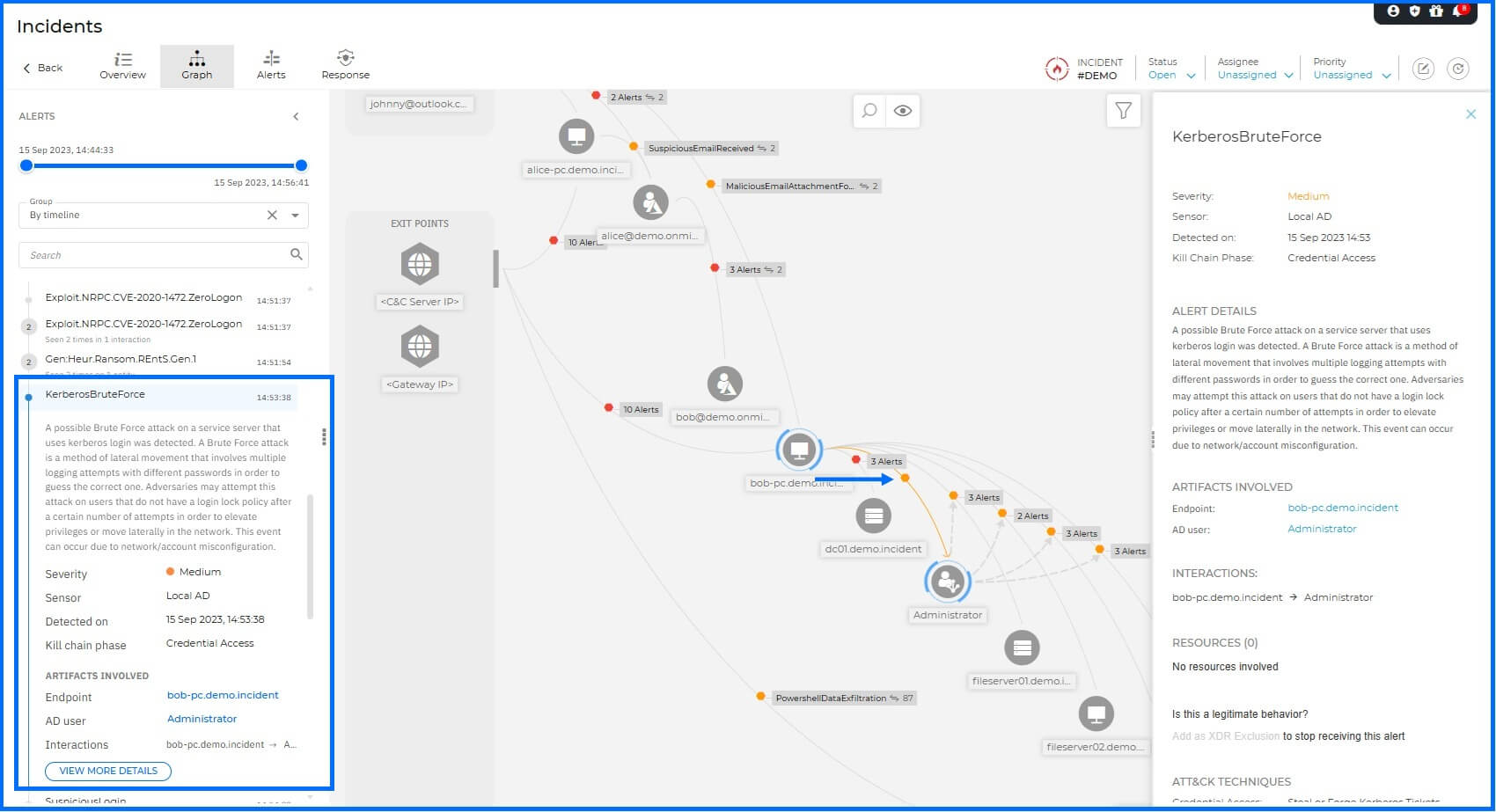
The Active Directory Sensor detected this brute-force activity, providing visibility into the identity-based attack and the eventual unauthorized access to the Administrator account.
Lateral Movement: The attacker successfully compromised the Administrator account. With domain-level credentials, the attacker gained unrestricted access to the network's most sensitive assets, subsequently connecting to FILESERVER02, CFO-LAPTOP, and CEO-PC.
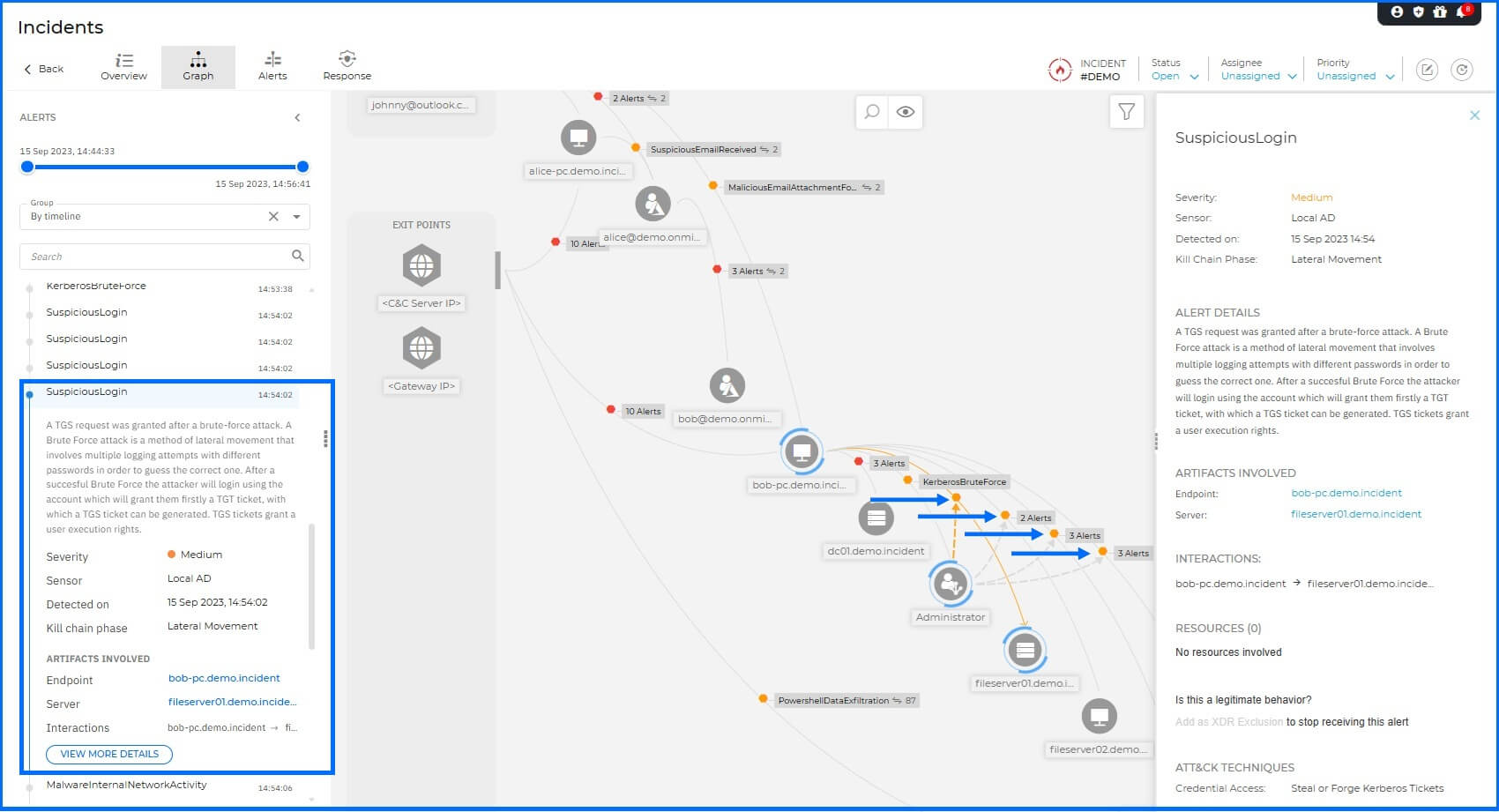
The Active Directory Sensor detected this activity as the next step of the Kerberos Brute Force attack, providing deep visibility into the unauthorized movement across internal infrastructure. Endpoint sensor also detected and logged the outgoing connections from Bob-PC to these specific targets, correlating the network-level lateral movement with the compromised account activity.
Impact (Ransomware): The attacker deployed the ransomware (radc56a5.tmp.exe) onto the file servers from Bob-PC to encrypt the data.
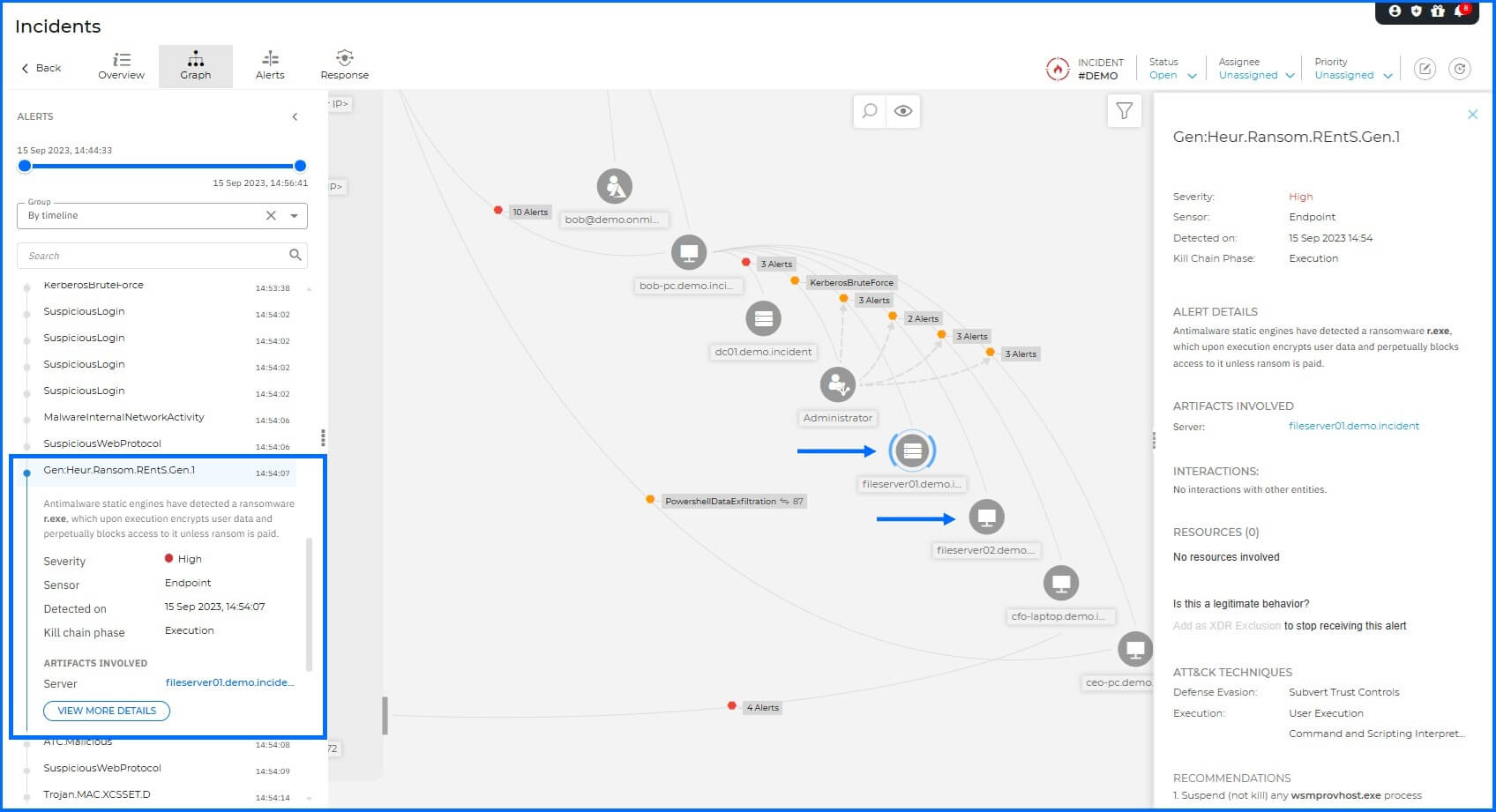
Malware Protection detected a ransomware variant, which upon execution attempts to encrypt user data on FILESERVER01 and FILESERVER02.
Persistence: To ensure long-term access, a persistence mechanism was established on the CFO-LAPTOP by writing a startup registry key, ensuring the attacker's executable (svcnost.exe) would automatically execute upon user login.
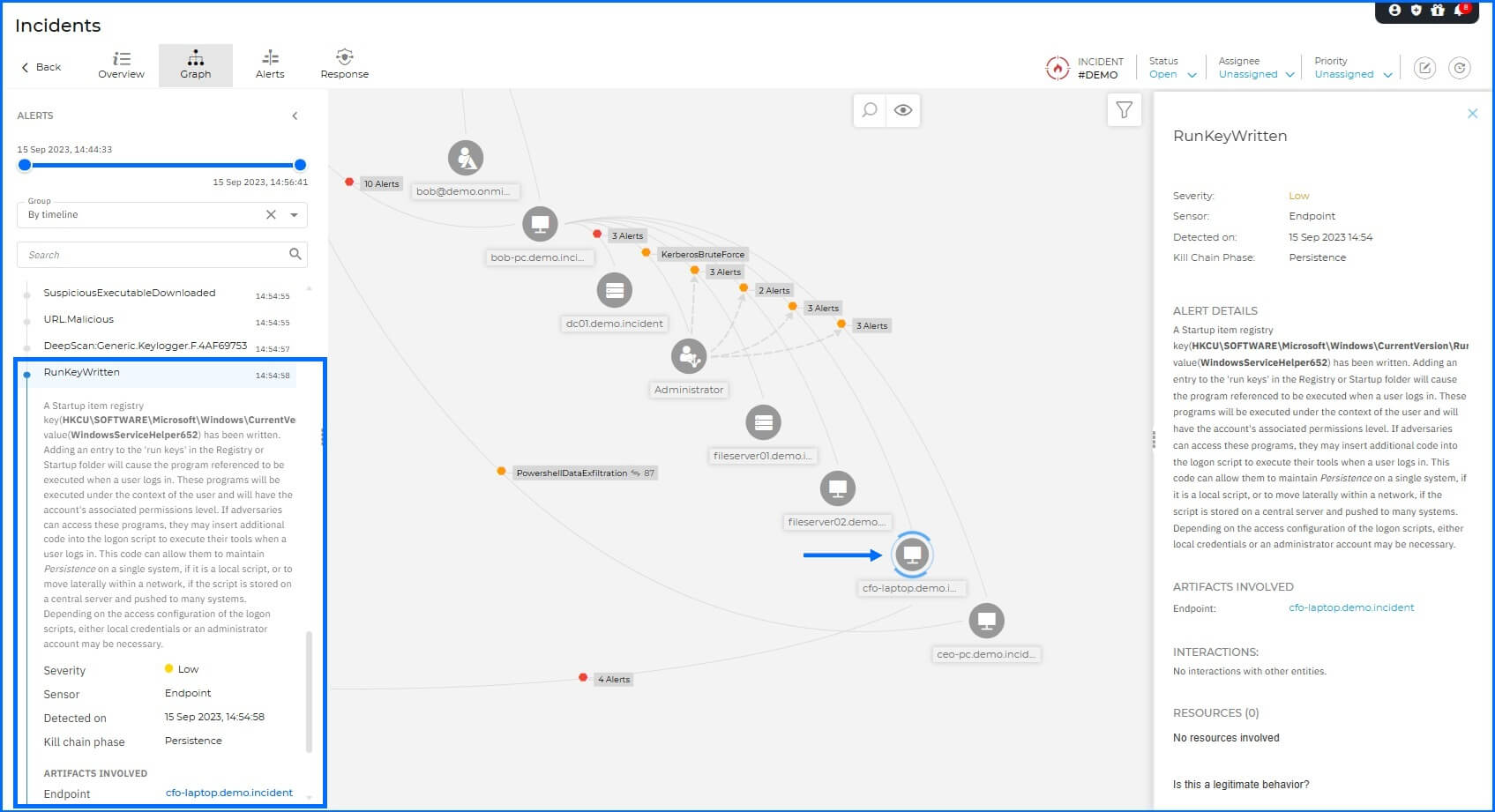
GravityZone identified this through several layers: Malware Protection detected a malicious file, ATC identified suspicious behavior, and Web Protection detected an outbound connection to a malicious URL.
Exfiltration: The final stage of the attack involved data theft. The attacker utilized PowerShell on the CEO-PC to exfiltrate 87 sensitive documents to the C2 server.
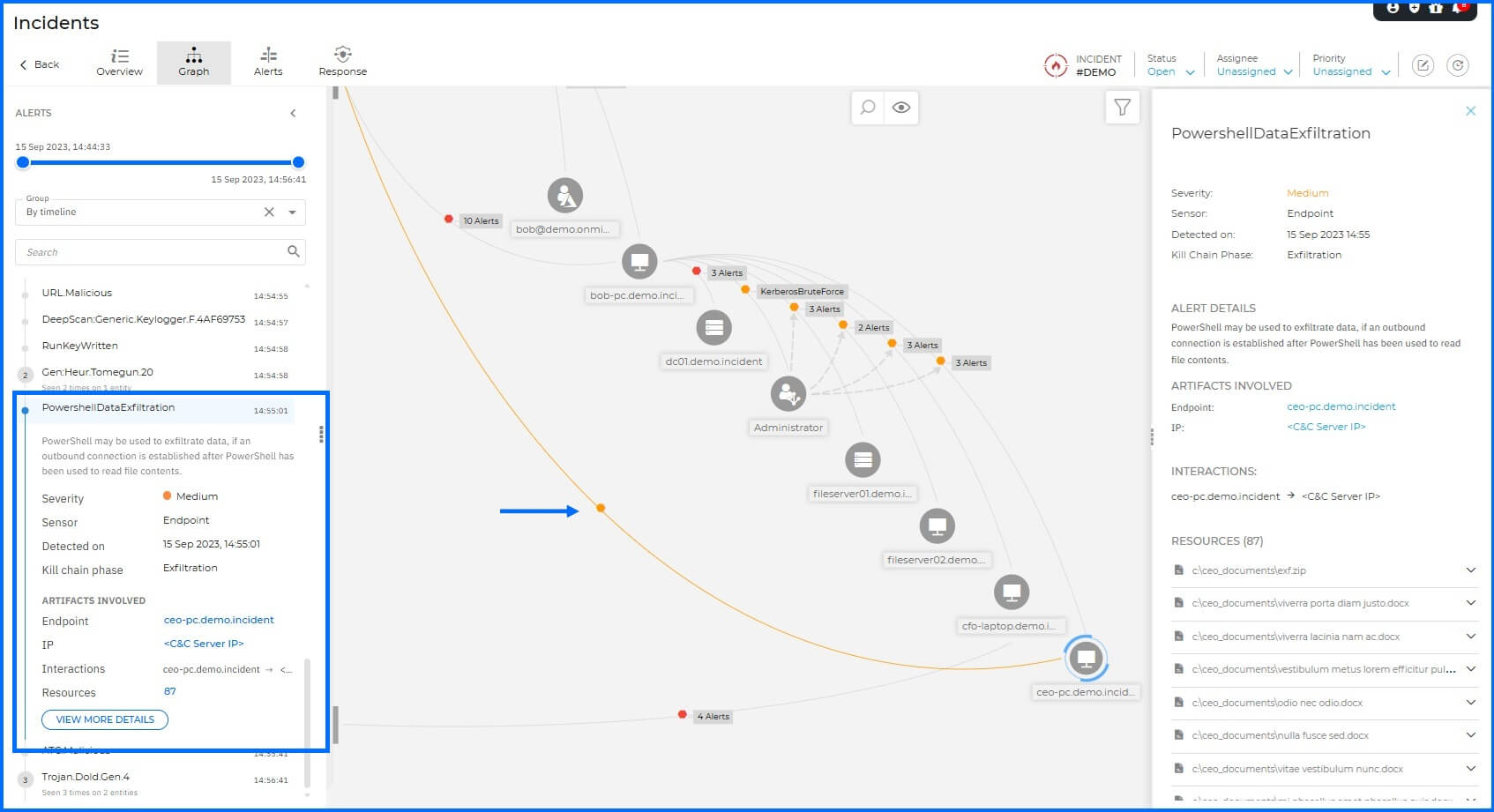
This activity was recognized and flagged by Malware Protection, which identified the unauthorized data transfer attempt.
Post-Incident Analysis and Forensic Discovery
Note that any modifications made to this incident, such as status updates or priority changes, are temporary. Once you navigate from the page, the incident environment resets its original configuration.
While remediation actions can be reviewed within the Response section for training purposes, they are deactivated for this demo scenario.
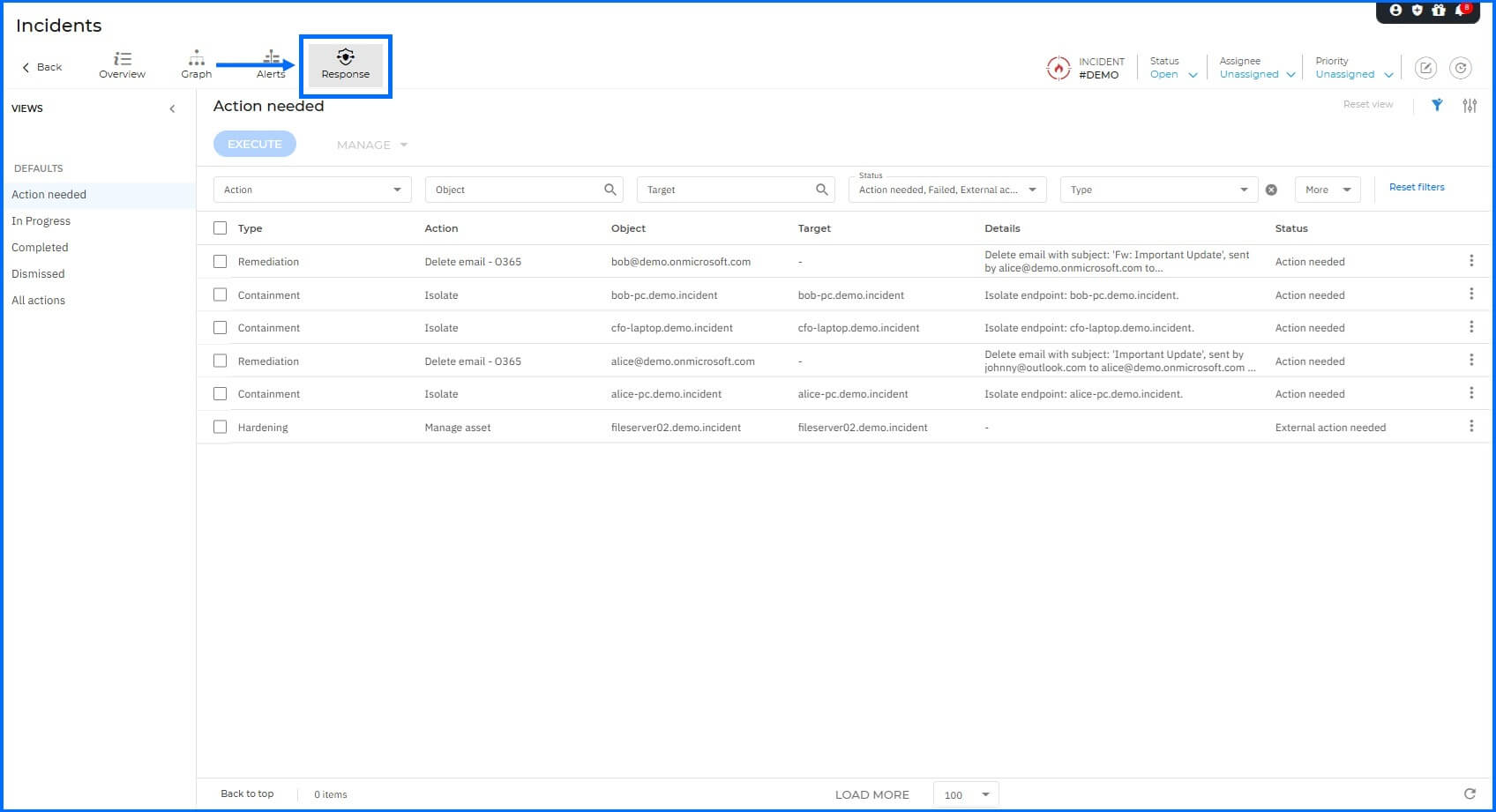 |
It is important to note that available response actions (whether manual or automated) are directly dependent on the specific sensors implemented within the environment. In production scenarios involving additional attack vectors, deploying a broader range of XDR Sensors unlocks more comprehensive containment and remediation capabilities. Detailed information about all Bitdefender sensors can be found at our TechZone here, as well as information about Incident response actions here.
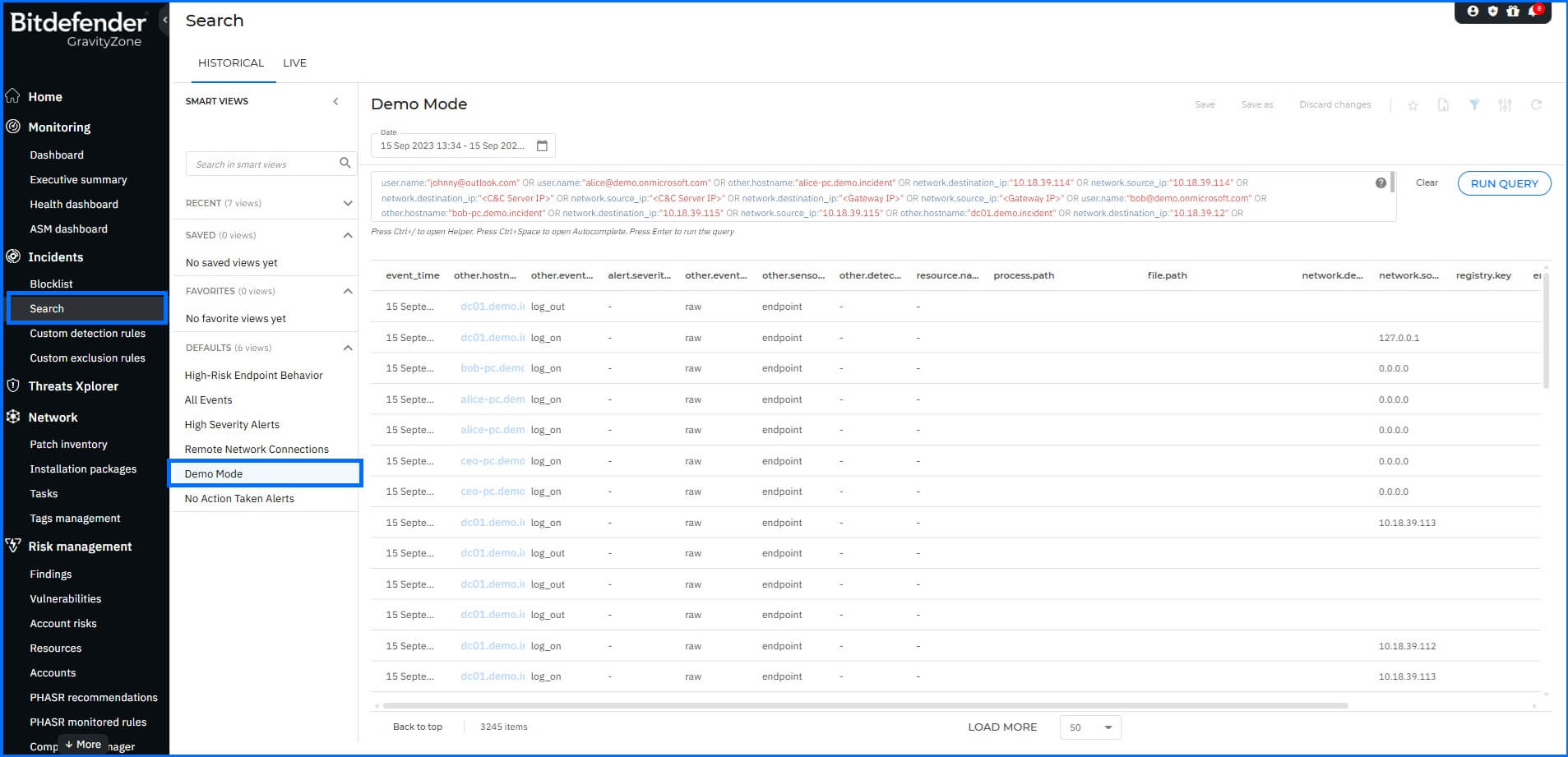
To deepen your investigation, navigate to the Historical Search section. This area provides access to the raw telemetry and forensic artifacts underlying the incident alerts, offering a granular view of the attacker's footprint across the network. You can use the XDR query language to apply complex search criteria, such as filtering specific IP addresses, process paths, or file hashes.
 |
For real-world investigations, you can leverage Live Search to retrieve information about events and system statistics directly from online endpoints in real-time. It allows you to run Osquery to inspect running processes, open network connections, and system configurations, providing immediate visibility into the current state of an active threat.