YARA Rules - Bitdefender TechZone
2026-06-08
GravityZone integrates YARA rules to perform on-access and on-demand pattern matching across Windows, macOS, and Linux. This architecture utilizes custom detection rules to automate response actions like endpoint isolation and process termination.
YARA rules let defenders write content-based detection patterns that match attack techniques across file structure rather than specific file hashes, making them particularly effective against recompiled or repacked malware families where indicators rotate faster than signatures can be updated.
An attacker distributing ransomware recompiles the payload. New hash. New command-and-control domain. Every IoC-based detection executes on nothing because the observable identity of the threat has changed. But the packer routine has not changed. The import table layout has not changed. The characteristic string sequences embedded in the unpacker stub have not changed. A YARA rule targeting those structural invariants executes on every variant of that family, regardless of how many times the attacker rebuilds the binary.
YARA Rules
YARA stands for Yet Another Recursive Acronym and was developed by Victor Alvarez. YARA rules are a customizable pattern-matching mechanism used for identifying and classifying data or files based on specified conditions. These conditions are written in a specialized YARA rule language, allowing for precise and customizable detection rules. When a system scans files or data, it checks them against these rules to identify matches, triggering specific actions or alerts when a match is found.
YARA rules support a range of detection goals:
Zero-day detection: write rules that flag unpatched vulnerable software, or the artifacts left behind by malware attempting to exploit it, before a formal signature exists.
Threat hunting: search proactively for specific patterns and indicators of compromise to find threats that have evaded traditional tooling.
Security policy enforcement: identify files with characteristics your organization considers unwanted or non-compliant.
Forensic and incident response: locate files and artifacts associated with a known threat to scope and contain an active incident.
Signature-based detection: build precise signatures for known malware families and their variants.
YARA Rule Deployment
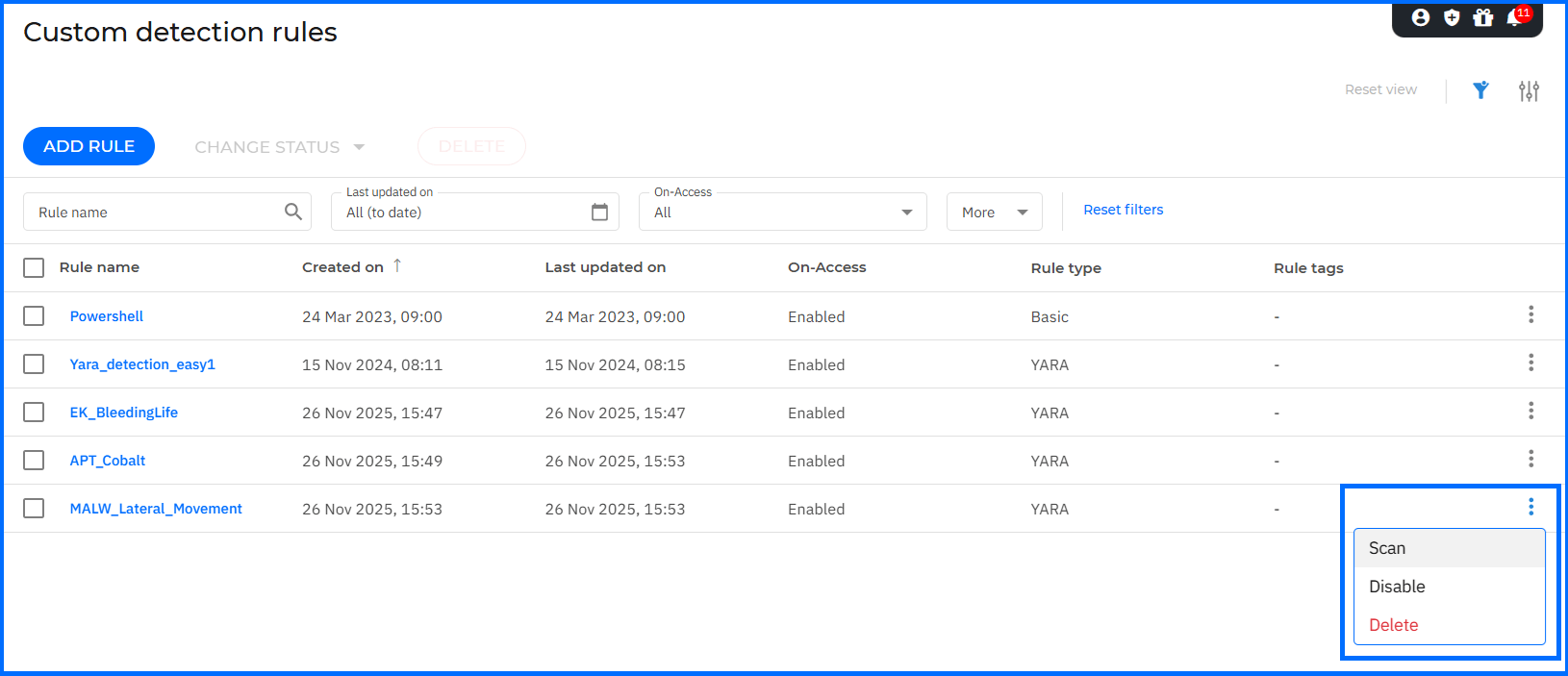
With Bitdefender GravityZone, you receive YARA available for Microsoft, macOS, and Linux operating systems under an EDR subscription. The configuration is available directly in GravityZone under Custom detection rules. The YARA rule operates in two modes:
On-access: evaluates files in real time as they are accessed or executed. If a rule matches, GravityZone raises an alert and generates an incident. On-access detections can also trigger automatic response actions, so a matching rule can interrupt the threat rather than only recording it.
On-Demand: is a manual scan an analyst starts against a chosen scope: a full disk, specific folders, or a targeted file set. It is the right choice for proactive hunting, retrospective sweeps when a new rule becomes available, and IR investigations that need to audit stored artifacts for a known indicator.
 |
The decision rule: on-access for continuous coverage against known-pattern families; on-demand for investigation and deliberate hunting.
Yara Rules Actions
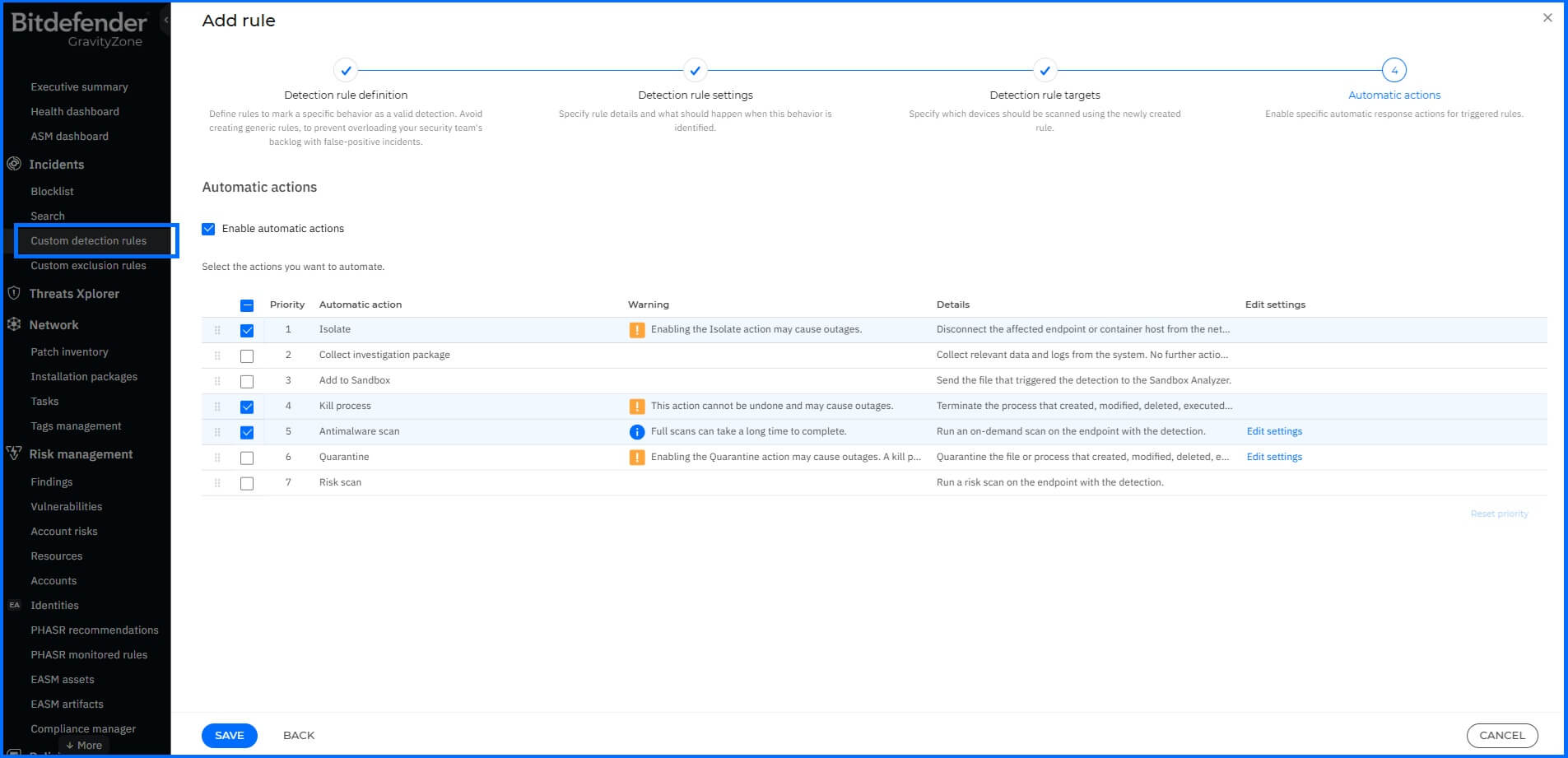
You can define an automatic action that will be executed when YARA rules match the search:
Isolate endpoint.
Kill process.
Quarantine.
Add to Sandbox.
Antimalware scan.
Risk scan.
Collect investigation package.
 |
Detailed YARA configuration instructions can be found in the GravityZone Support Center here.
Detection Visualization
You can monitor YARA-based detections across GravityZone: on-access scans automatically generate entries in the Incidents section for deep analysis, while results from on-demand scans are available as alerts in the Search > Historical section.
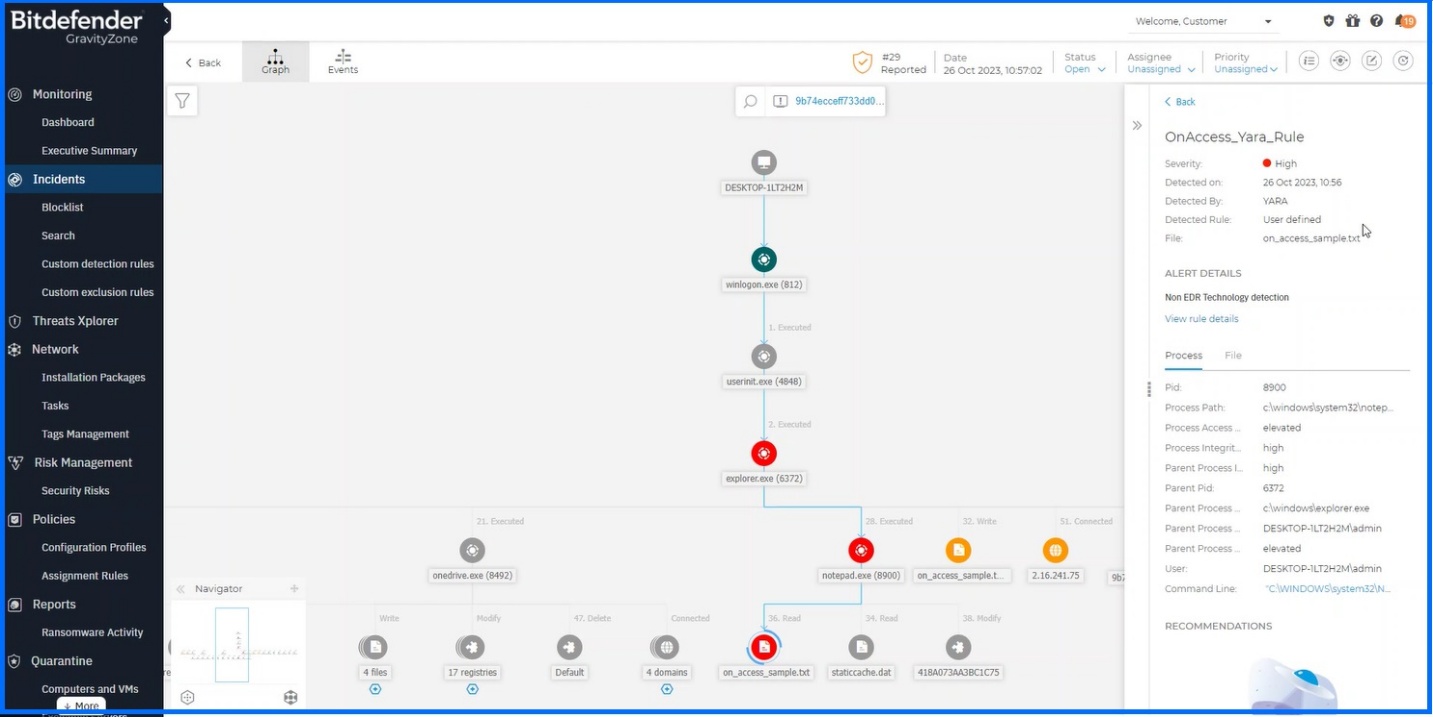 YARA, on-access scan results. | ||
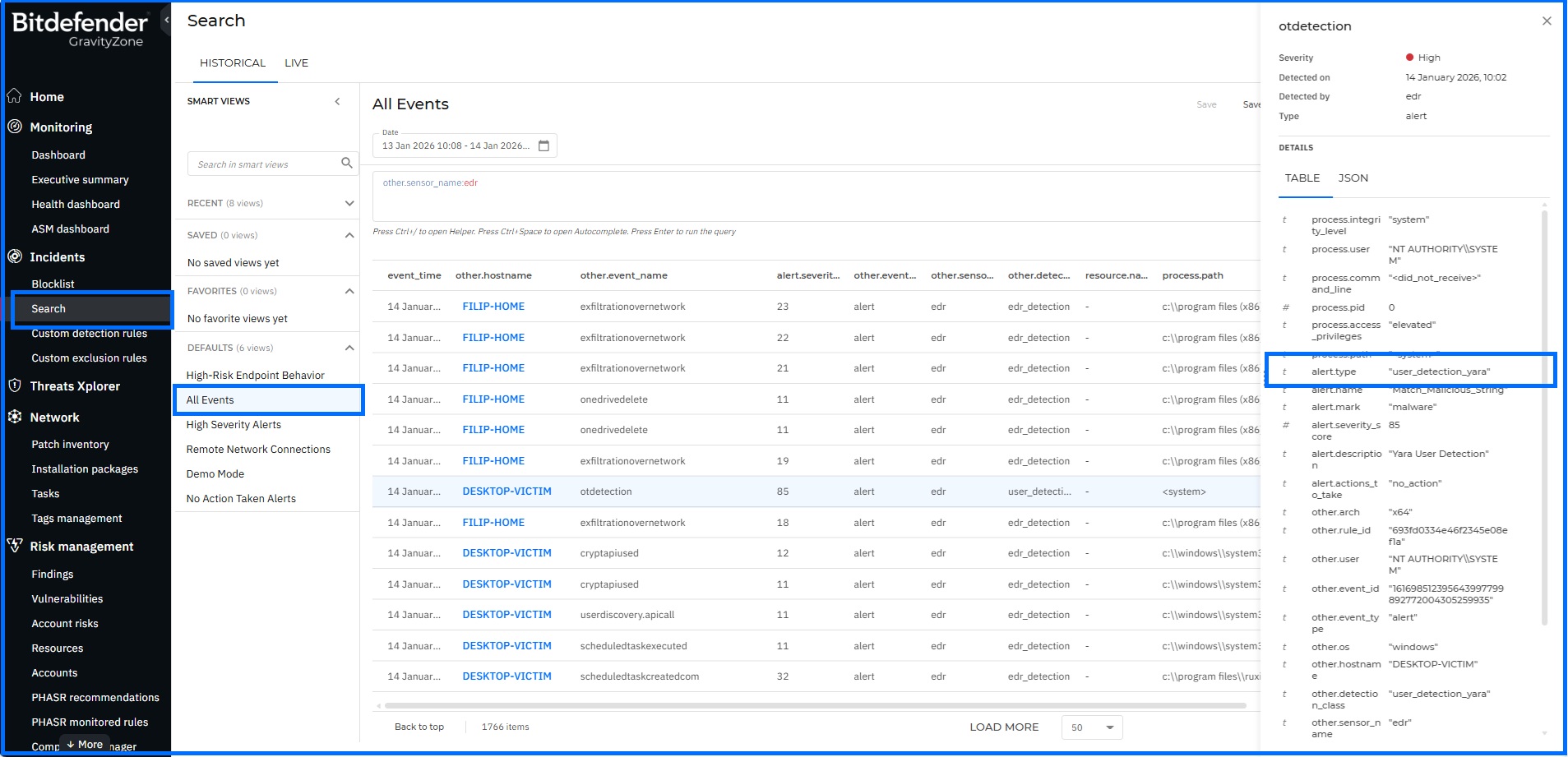 YARA, on-demand scan results. |
Automating YARA Rules with the GravityZone API
Beyond the console, security analysts can create, update, retrieve, and execute YARA rules directly through the GravityZone API. This lets teams fold custom detection into their existing automation rather than driving every change by hand. A detection engineer can push a new or revised rule programmatically as threat intelligence evolves, pull the current rule set to keep it under version control, trigger an on-demand YARA scan against selected endpoints in response to a fresh indicator of compromise, and then retrieve the alerts and incidents that scan produces for downstream processing. The Incidents API exposes the methods that support these workflows, including starting a YARA scan and listing the resulting endpoint and organization incidents.
Working through the API keeps YARA in step with the rest of a security operation. Rules can be deployed straight from a threat-intelligence pipeline, scans can be scheduled or kicked off automatically when a playbook fires, and the detections that follow can be ingested into a SIEM or case-management system, all without manual interaction with the console.
Common Mistakes and Misconceptions
"You have to know how to write YARA rules before you can use them."
Authoring rules is one way to work with YARA, but it is not a prerequisite for benefiting from them. The YARA community is an active ecosystem that constantly contributes new detection patterns and shares resources through public repositories. Security experts frequently distribute rules for recently identified threats on social media platforms such as Twitter or Reddit, and complete rule sets can be freely accessed and downloaded from repositories like GitHub or from specialized vendors, some of whom provide their YARA rules as part of a paid subscription service. A sysadmin can take a well-regarded community or vendor rule, review it, and load it into GravityZone under Custom detection rules without writing a line of YARA syntax. The skill worth building over time is reading and validating a rule before deployment, not writing one from nothing.
“YARA replaces EDR behavioral detection”
YARA operates on file content; EDR operates on process behavior at runtime. A YARA rule matches a malicious loader sitting on disk. EDR catches the loader injecting into a legitimate process, connecting to a command-and-control server, or spawning an unexpected child. These are different observations of the same threat. Deploying YARA well does not reduce the value of behavioral detection: it adds a complementary visibility layer for what files are, before and after they execute. A team that treats YARA as an EDR substitute ends up with strong file-level coverage and no behavioral context when something executes successfully.
YARA Rules in Action: An Example
Recommended Content
To learn more about the technologies included in the Detection layer we recommend reading the next article Anomaly Detection.